Cloud Code Integration
Introduction
In the merchant store, if POS application is web-based it needs to interact with the cloud server in real time, so it is more convenient to choose the cloud API integration solution. The specific process is as follows:
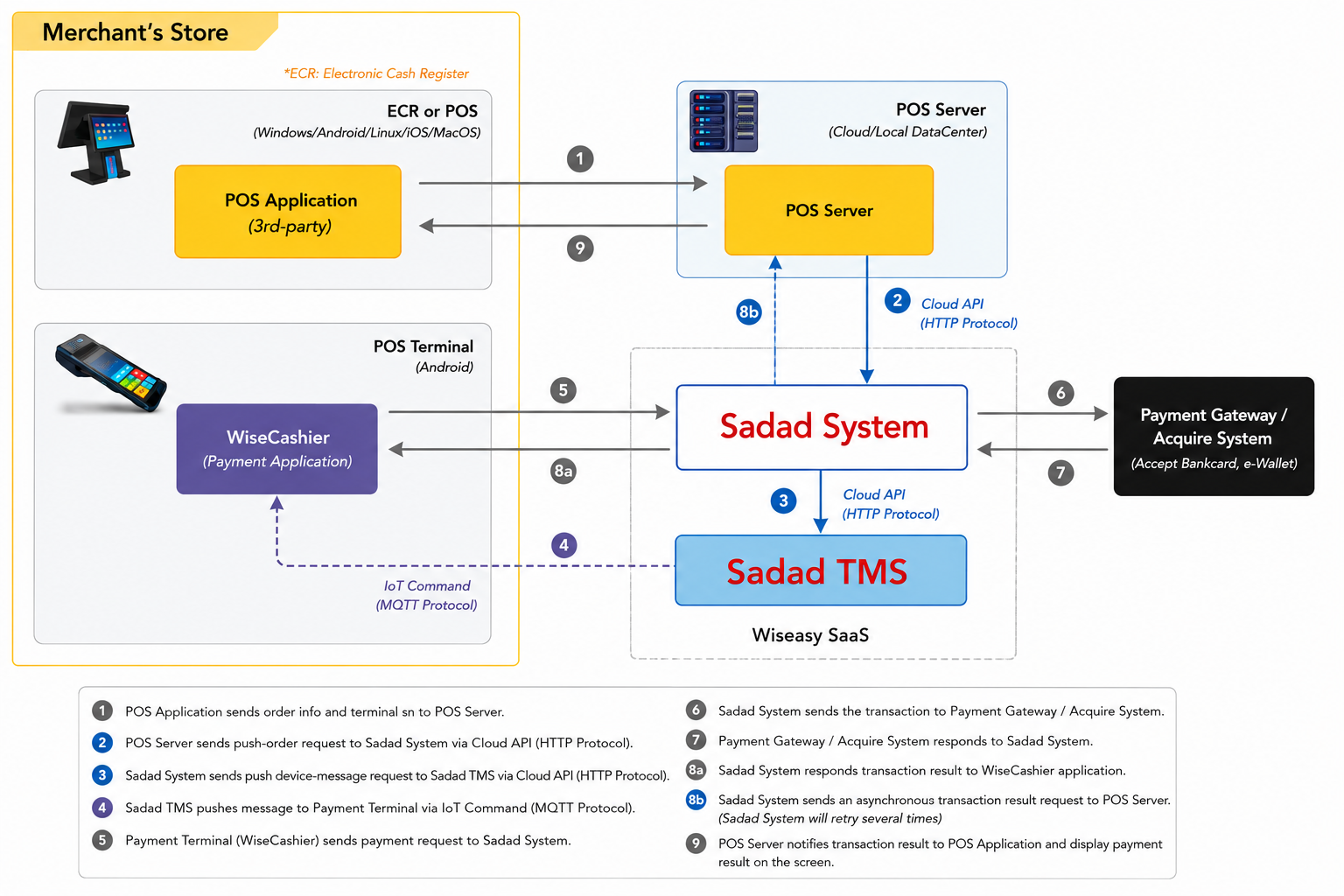
- POS application sends order info (include order id, total amount...) and terminal sn to POS server.
- POS server sends push-order request to SadadSystem via OpenAPI.
- SadadSystem received order info and precreate a transaction, then send a push device-message request to SadadTMS.
- SadadTMS push message to Payment terminal via IoT communication protocol.
- Payment terminal received message and wake up WiseCashier application's checkout component to process transaction info. checkout packs bankcard info/mobile wallet user payment voucher into transaction data and sendpayment request to SadadSystem.
- SadadSystem processes the transaction packet and sends to payment gateway/acquire/processor/bank.
- Payment gateway/acquire/processor/bank response to SadadSystem.
- SadadSystem processes simultaneously: Responses transaction result to WiseCashier application. Sends an asynchronous transaction result request to POS server(if SadadSystem will retry several times)
- POS server notifies transaction result to POS application and display payment result on the screen
Sequence Diagram
1. Push Order To Terminal
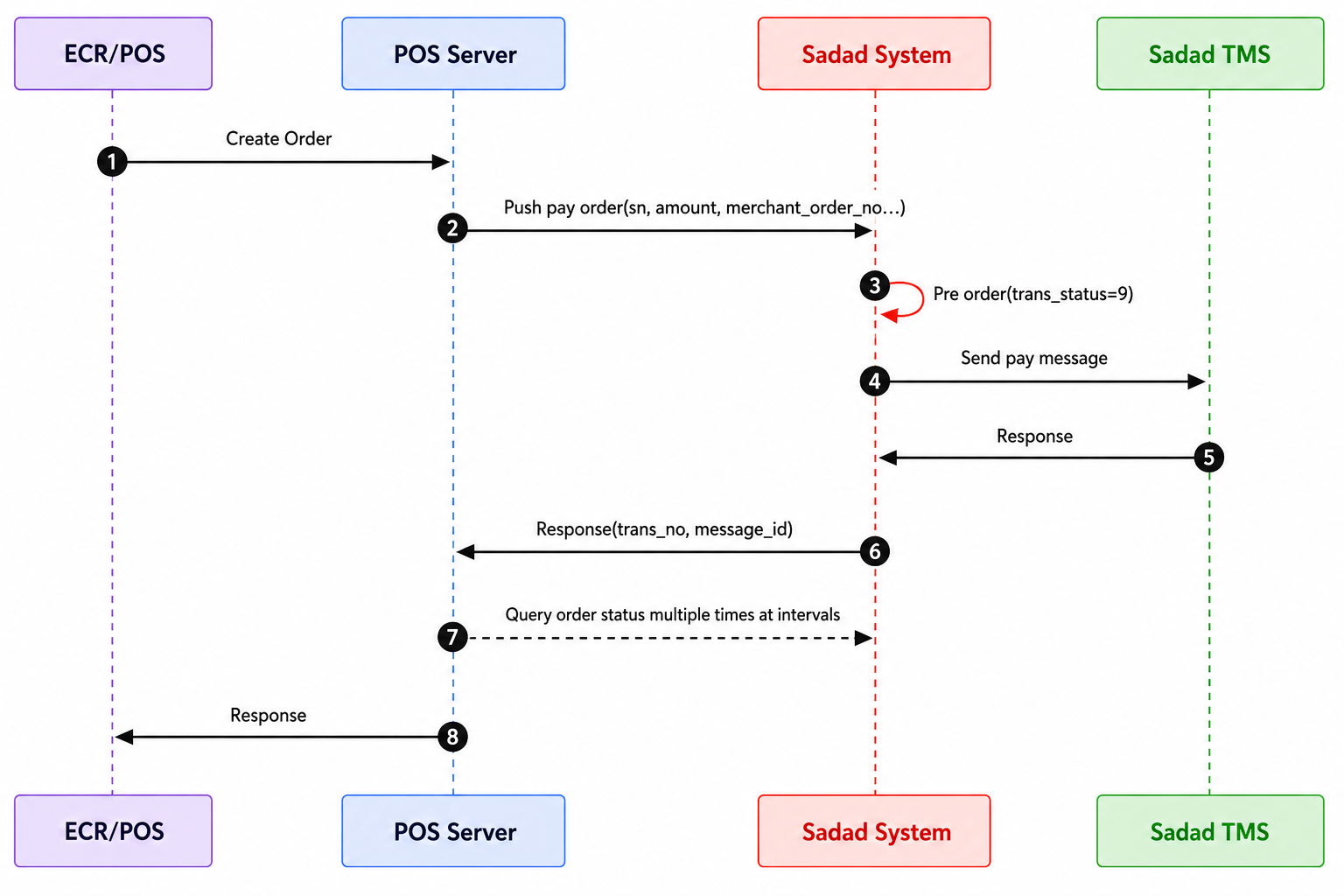
- The merchant POS application create an order and request payment from the POS server.
- POS server request Create Order API to push the order to the designated payment terminal.
- SadadSystem create a pre-payment order with transaction status=9, and payment can be cancelled in this status. Please cancel through the Close Order API.
- SadadSystem request SadadTMS to push the order to the specified payment terminal.
- SadadTMS accept order push request and return a successful response.
- SadadSystem will respond to the POS server with transaction number, message id, and other information. POS server should store this information as a transaction voucher for future reconciliation or other operational needs.
- POS server start querying the transaction status of the order until it is successful or closed. Query Order API.
- POS server respond to POS application and redirect to the order waiting for payment result interface.
Application Install And Setting
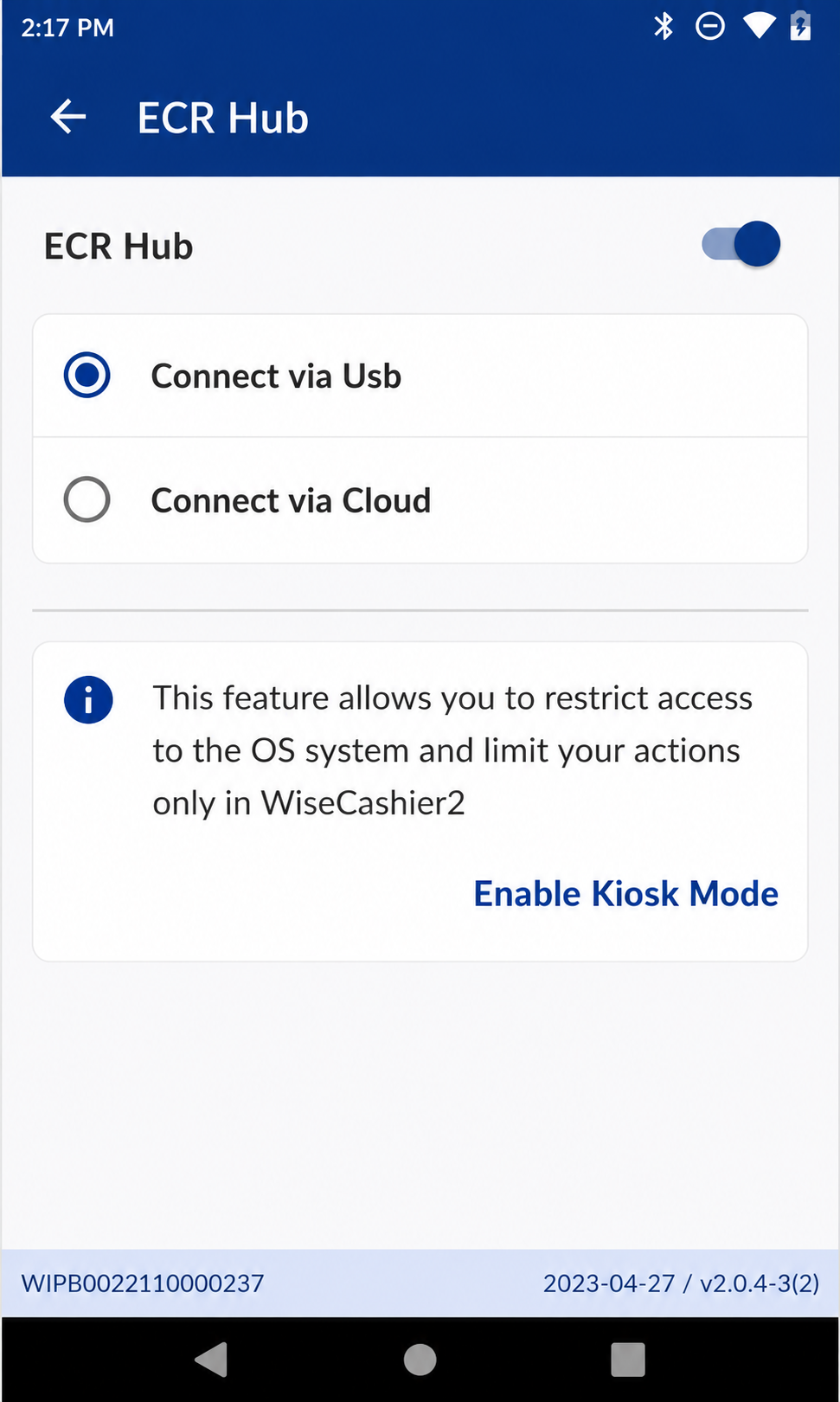
Before this, please install the application "WiseCashier" on the Payment terminal, start the app, and click on "Settings ->General ->ECR Hub" in sequence. Set the connection mode to "Cloud", as shown in the following figure:
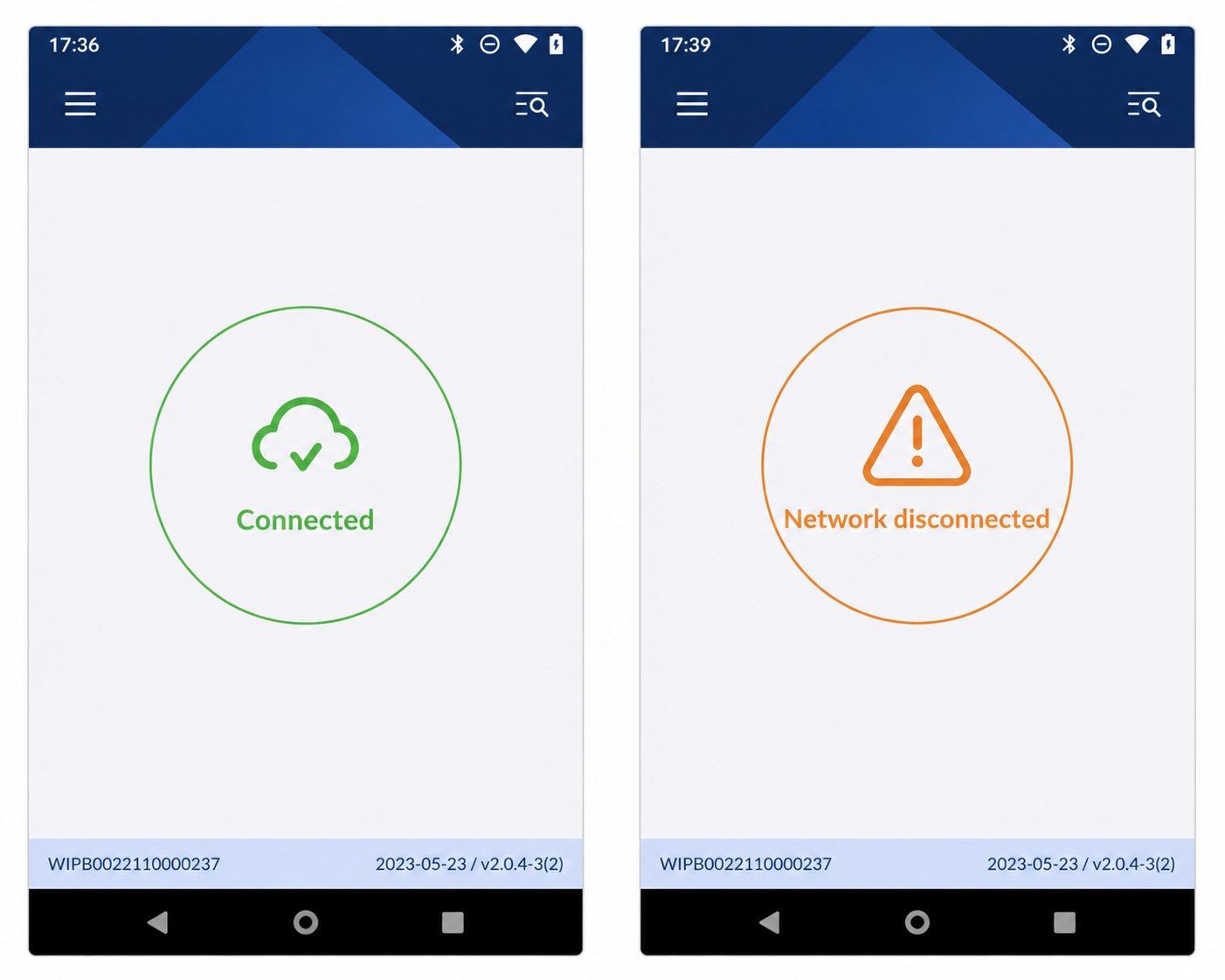
Returning to the main interface, the example images of successful and failed connections are as follows: